You can start a stopped recurrence at any time. Once started, the system will begin generating orders based on the recurrence schedule and order template.
Steps to Start a Recurrence
In the main menu, click Orders, then select Recurrences.
Stopped recurrences are identified by Stopped in the Status column
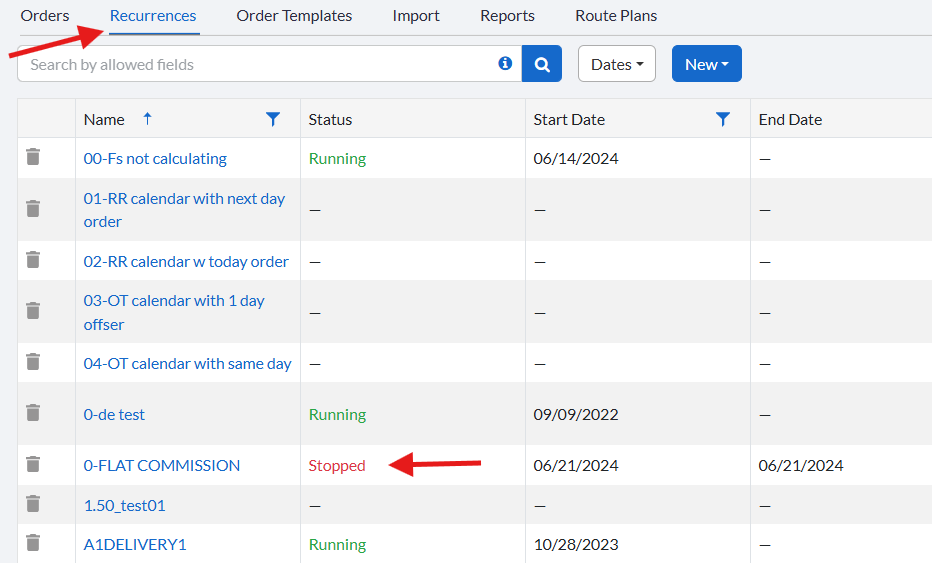
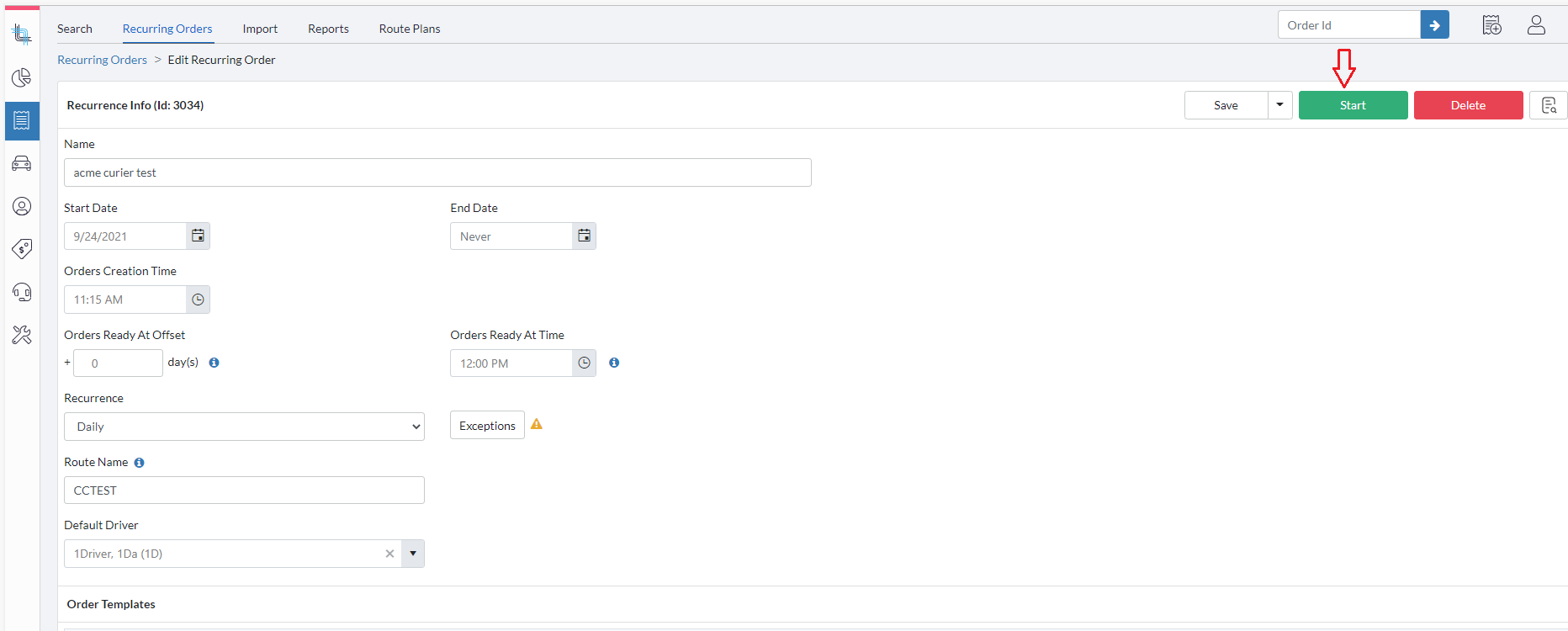
Click the name of the recurrence you want to start to open its details.
Click Start to activate the recurrence.
Notes
Once started, the recurrence will generate orders according to its configured schedule.
Starting a recurrence does not affect orders that were previously generated.
Related Articles
- Recurring Orders Overview
- Start a Recurrence
- Trigger a Recurrence
- Duplicate a Recurrence
- Delete a Recurrence
- Order Template Views
Was this article helpful?
That’s Great!
Thank you for your feedback
Sorry! We couldn't be helpful
Thank you for your feedback
Feedback sent
We appreciate your effort and will try to fix the article