You can edit an existing recurrence to update its schedule or settings. Changes can be saved immediately, and recurrences that have not yet started can also be started after saving.
Steps to Edit a Recurrence
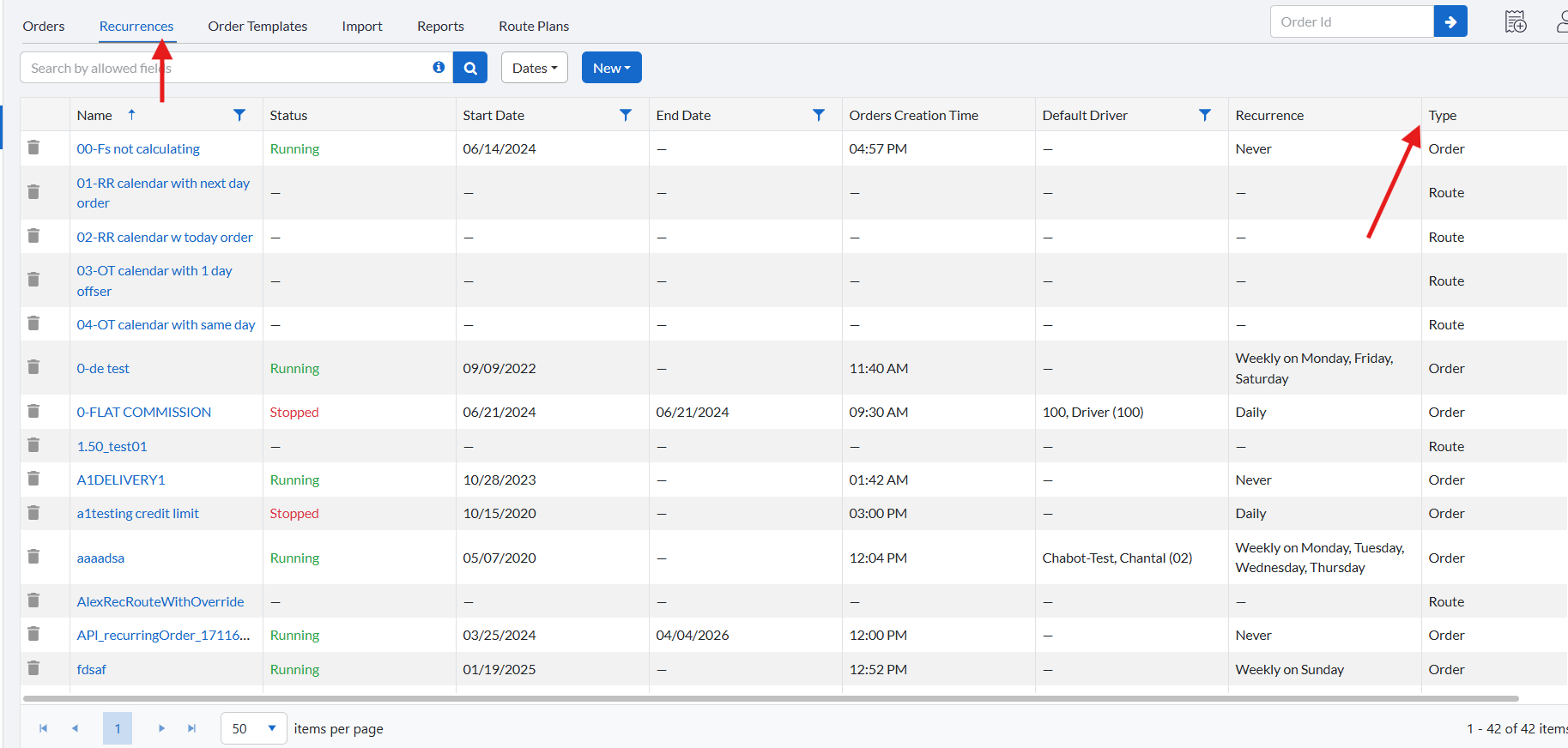
In the main menu, click Orders, then select Recurrences.
From the Recurrences list, click the name of the recurrence you want to edit to open its details.
Make the required changes.
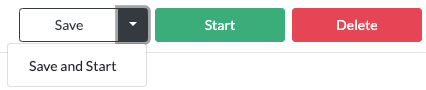
If the recurrence is already active, click Save.
If the recurrence has not started yet, click Save and Start to apply your changes and activate the recurrence.
Notes
Changes apply only to future orders generated by the recurrence.
Orders that were already created before the edit are not affected.
Related Articles
- Recurring Orders Overview
- Start a Recurrence
- Trigger a Recurrence
- Duplicate a Recurrence
- Delete a Recurrence
- Order Template Views
Was this article helpful?
That’s Great!
Thank you for your feedback
Sorry! We couldn't be helpful
Thank you for your feedback
Feedback sent
We appreciate your effort and will try to fix the article