The Auditing a Recurrence feature allows you to view a complete history of all changes made to a recurrence. This helps in tracking modifications and maintaining accountability.
Steps to Audit a Recurrence
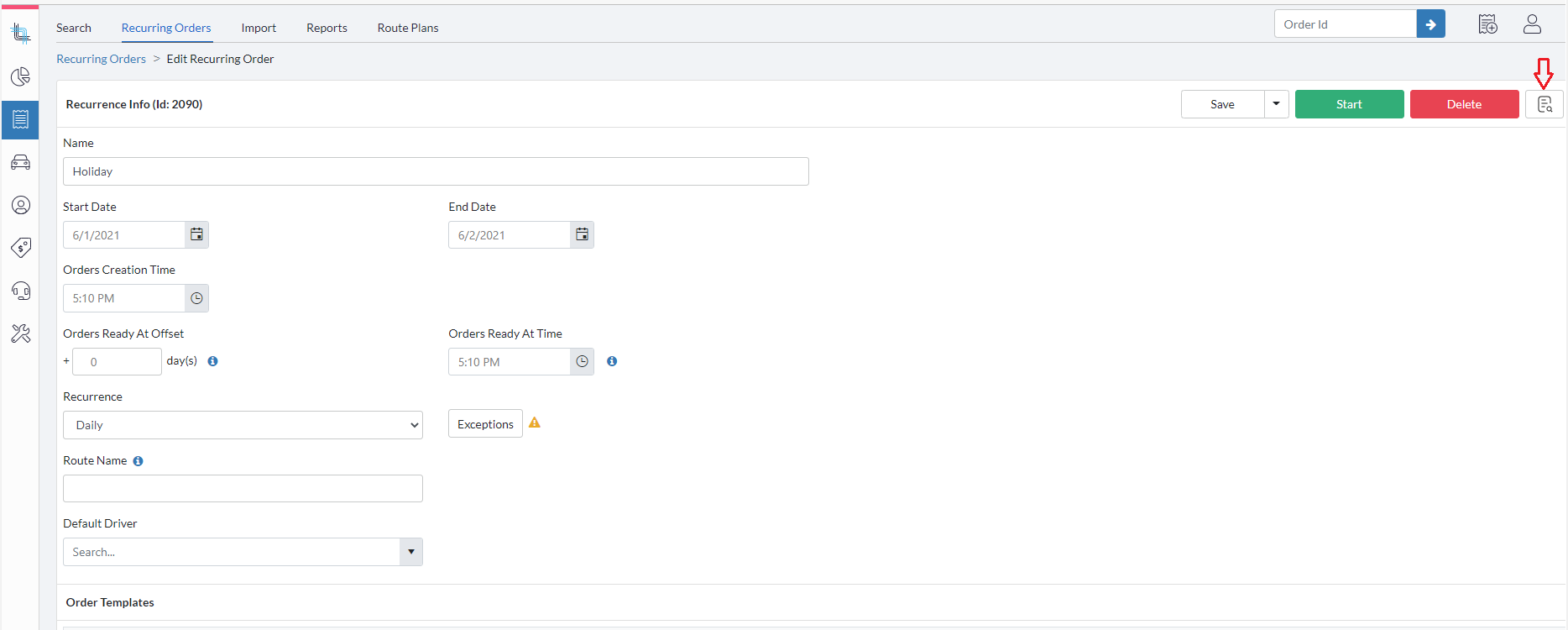
Open the recurrence you want to audit by clicking on its name
Click on the Audit icon located at the top-right corner of the recurrence.
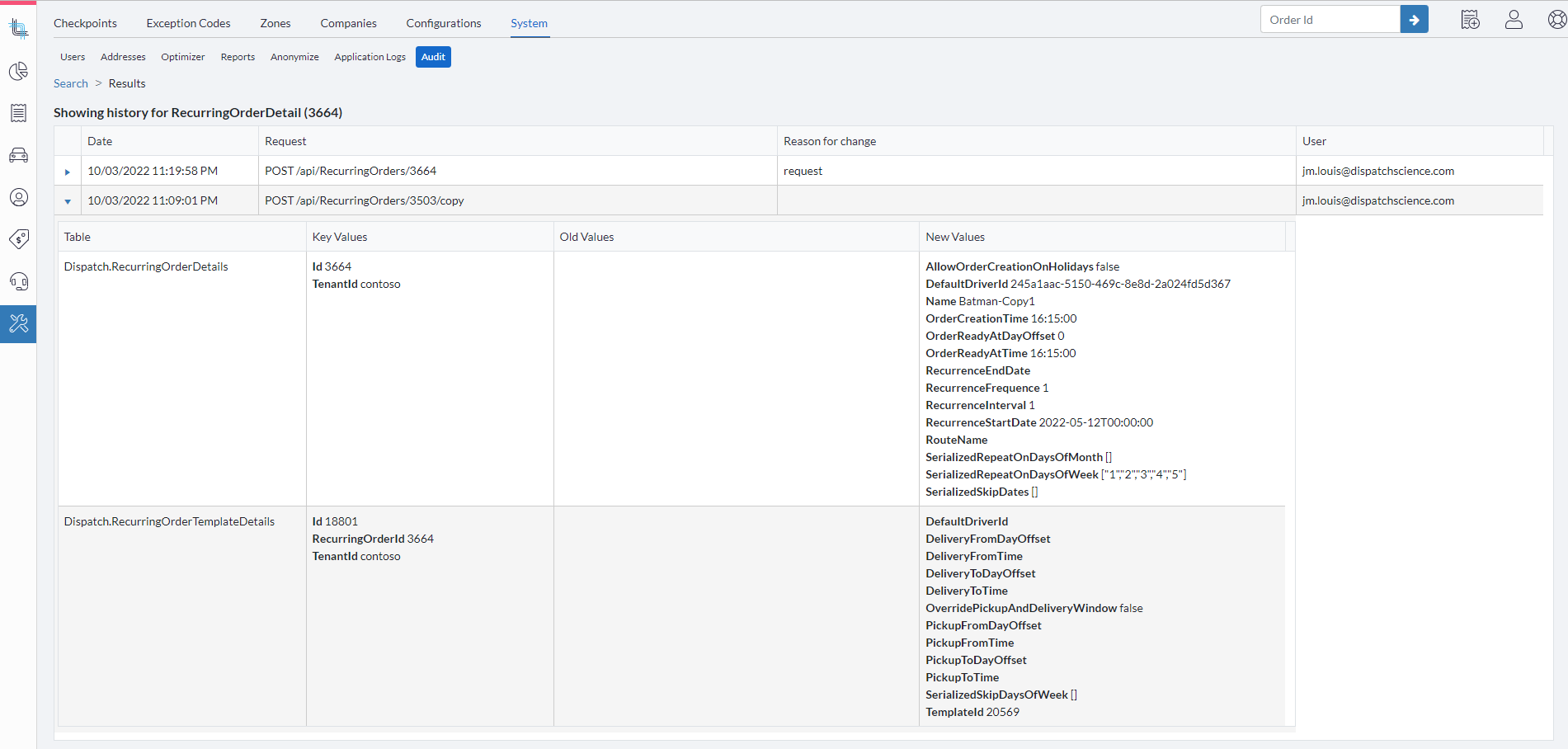
The system will display the old and new values for all changes made to the recurrence, allowing you to review what modifications were applied and when.
Related Articles
- Recurring Orders Overview
- Start a Recurrence
- Trigger a Recurrence
- Duplicate a Recurrence
- Delete a Recurrence
- Order Template Views
Was this article helpful?
That’s Great!
Thank you for your feedback
Sorry! We couldn't be helpful
Thank you for your feedback
Feedback sent
We appreciate your effort and will try to fix the article