Create an Account from Master Account
The Master Account screen now lets you create a new account and link it to the master account in one step.
Create New Account
Create New Account option opens a standard New Account form pre-populated with the Master Account information and the selected company defaults — common fields like address, pricing, profiles, billing, and order options are ready to go without manual entry.
- Open the Master Account record in BackOffice (Accounts → Master Accounts → Master Account list → click the master account name)
- Click Create Account → Create New Account.
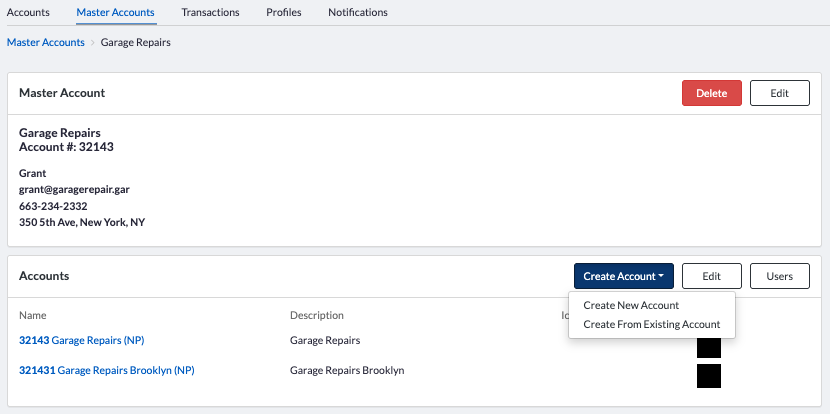
- A New Account form opens
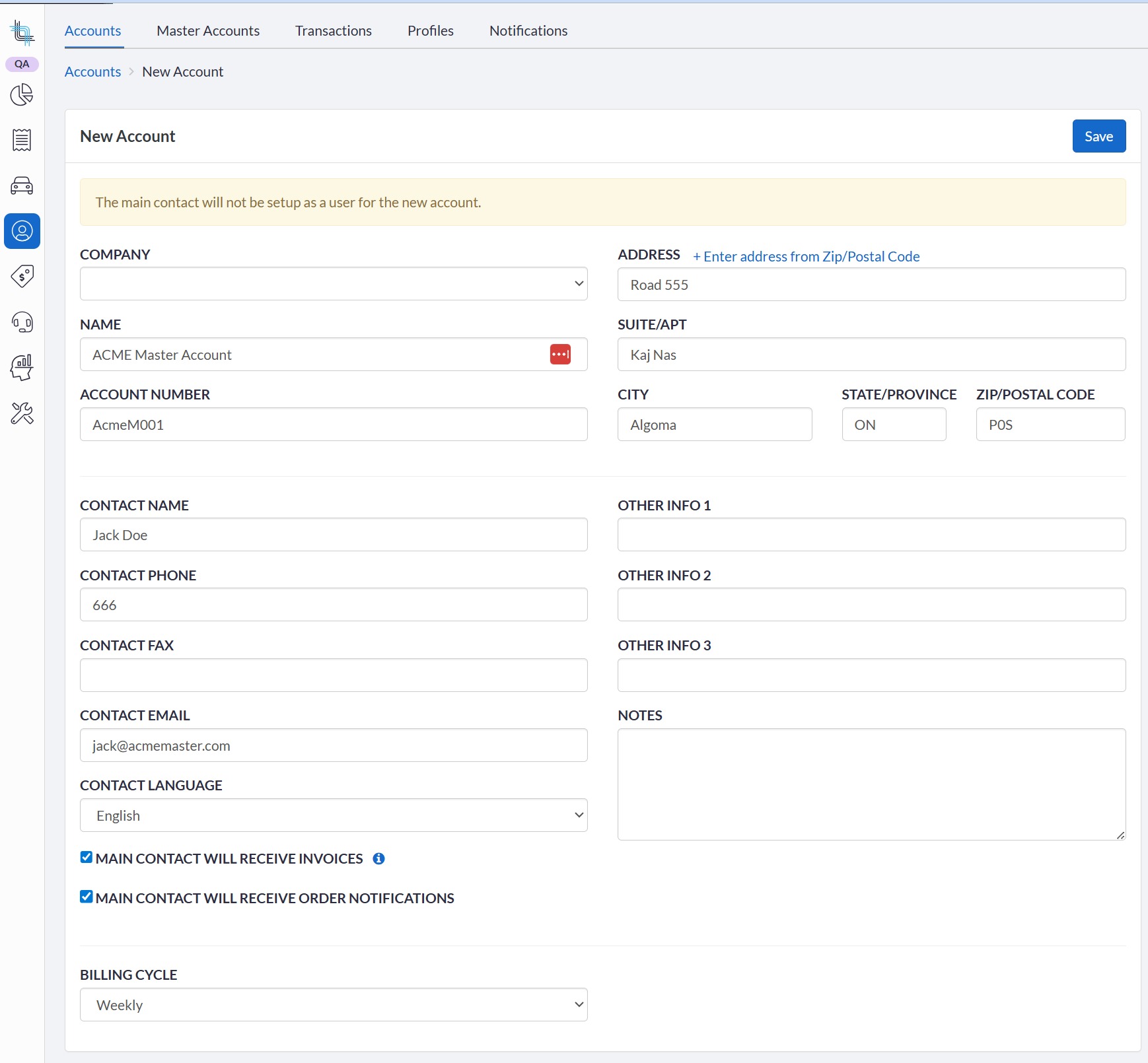
- Fields are pre-filled with:
- Master Account defaults (address, linked master account)
- If you have more than one company, select the company. If you only have one company, the field will be invisible.
- Company-level defaults (pricing, profiles, order options, billing options) will be used when the account is created.
- If no company-level defaults are selected, the default (starred item in each list) will be used.
- Update the Account Number if it already exists on another account in the same company.
- Company-level defaults (pricing, profiles, order options, billing options) will be used when the account is created.
- No user or contact will be created with the Contact information so it can remain the same if the same email is used to send all invoices and notifications.
- Review and adjust any other fields as needed (name, contact, etc.).
- Click Save.
Once saved, you are presented with the Master Account screen. The new account appears immediately in the linked accounts list.
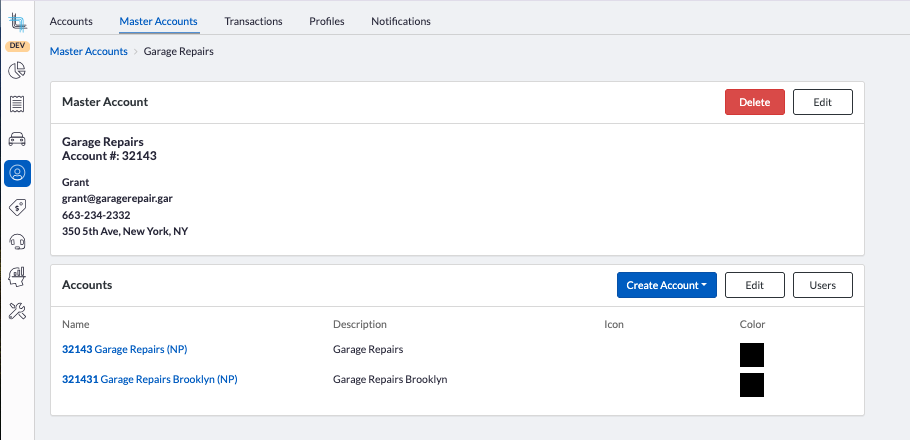
Click on the account name to open the account details in a new tab to complete any changes and to add the users.
Create From Existing Account
The Create From Existing option lets you pick an existing account as a source and copy its configuration into a new account. The new account is automatically linked to the Master Account.
To do so, follow the instructions in https://support.dispatchscience.com/a/solutions/articles/36000603462
After saving, you are returned to the Master Account screen, and the new account appears in the linked accounts list.
Was this article helpful?
That’s Great!
Thank you for your feedback
Sorry! We couldn't be helpful
Thank you for your feedback
Feedback sent
We appreciate your effort and will try to fix the article