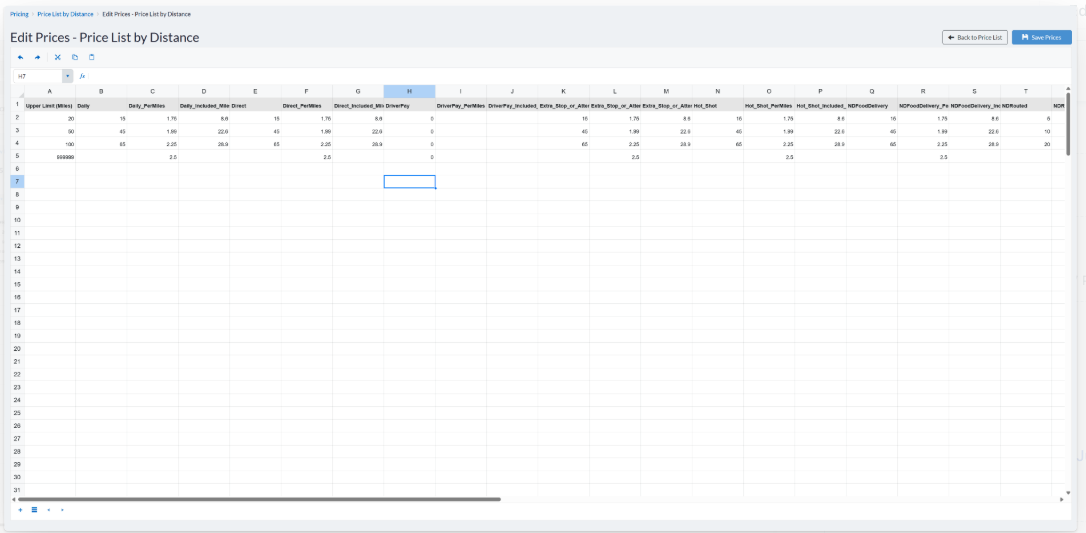
Price lists can now be viewed and edited directly in the browser using an inline spreadsheet interface. Previously, updating pricing required downloading an Excel file, making changes offline, and then re-uploading the file.
The new inline editor allows you to quickly update pricing without leaving the application. The existing Excel import and export workflow remains available for users who prefer to manage price lists offline.
Accessing the Inline Editor
To access and edit a price list:
- Navigate to BackOffice > Administration > Price Lists.
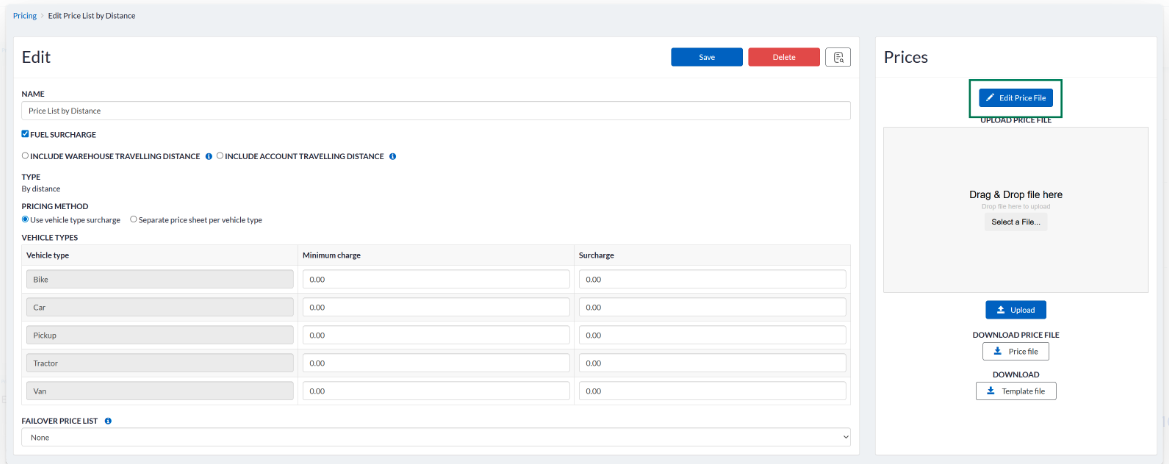
- Open an existing price list.
- Click Edit Price File to open the inline spreadsheet editor.
- Make the necessary changes directly in the grid.
- Click Save Prices to save your updates.
Your changes are saved directly to the selected price list, eliminating the need to download and re-upload an Excel file for routine pricing updates.
Was this article helpful?
That’s Great!
Thank you for your feedback
Sorry! We couldn't be helpful
Thank you for your feedback
Feedback sent
We appreciate your effort and will try to fix the article